


01
Custom terminology and live editing
Add names, organizations and technical terms before the event to improve translation accuracy. An operator can also correct text during the live session.
AI translation for conferences and live events across Asia. No booths, no receivers, no app.
Trusted by high-stakes events across Asia
Features
A complete capture-to-delivery pipeline designed for keynote stages, breakouts, and hybrid sessions.
Add names, organizations and technical terms before the event to improve translation accuracy. An operator can also correct text during the live session.
Captions on the main screen, floating over slides, or full-screen for back-of-the-room readability.
Run several target-language streams from one source audio feed. Confirm the language directions and simultaneous streams during your event rehearsal.
Get an AI-generated recap of every session — key points and takeaways, ready to share the moment it ends.
Add synthesized audio in the selected target languages. Attendees listen with their own earphones while watching the stage or presentation.
Attendees join by QR code or link in a phone or laptop browser. No app or rented receiver is required. Read captions on screen, or listen to AI audio with personal earphones.
Supported languages
Attendees pick their language when they join, then read live captions or listen to AI audio. One event can run several languages at once.
How It Works
Connect the room audio once, then let attendees read or listen in their language from the screen or their own device.
HDMI output from laptop to screen
Microphone or mixer feed into laptop
Stable venue internet connection
Audio mixer / interface
Projector or LED wall · overlay or full-screen captions
Live captions & AI audio in their language
Take clean audio from the microphone feed, mixer, or presentation laptop.
Trusted by conferences and summits across Asia.
PARK HYATT BANGKOK
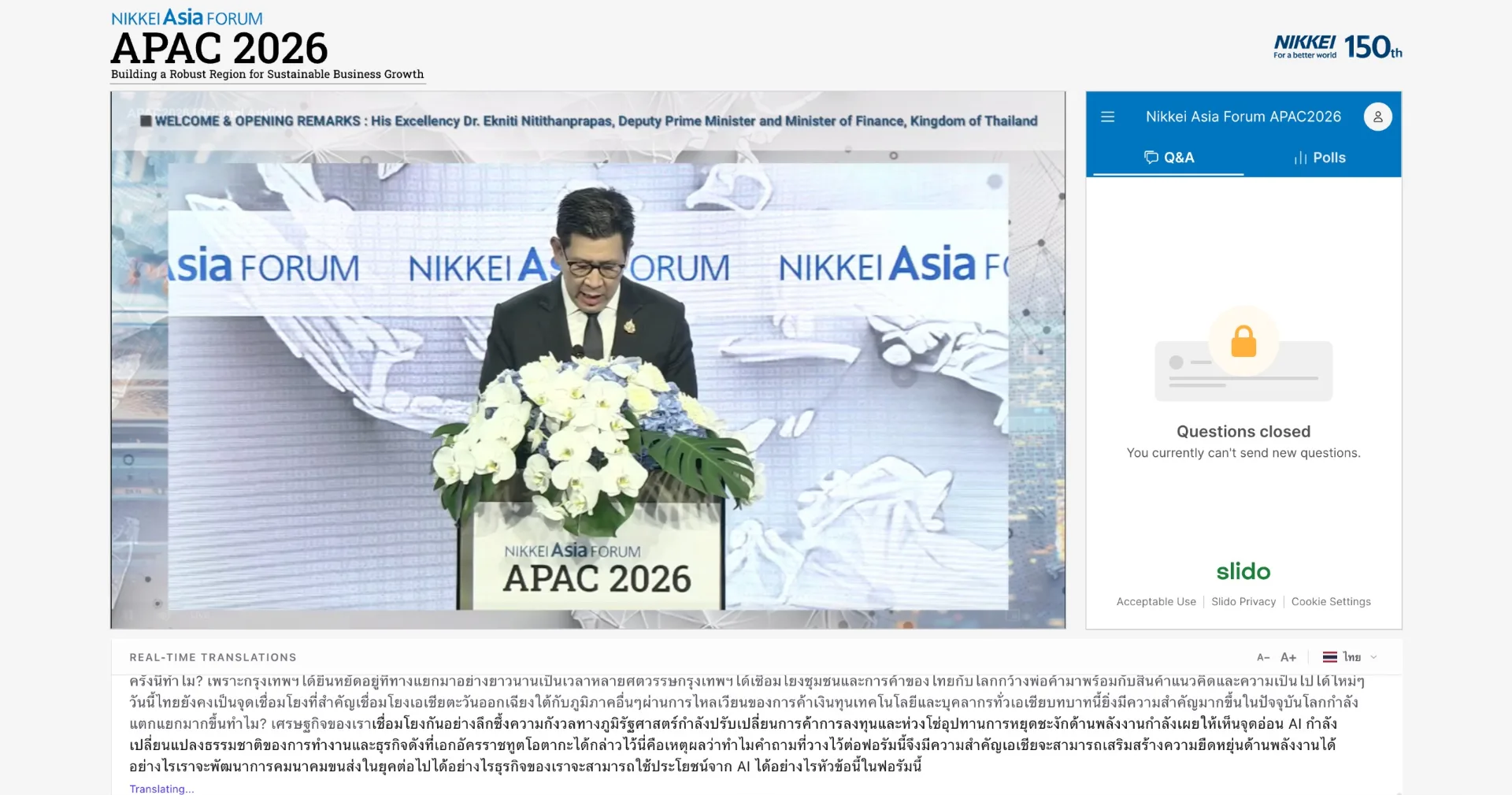
Our next-generation AI provided real-time translation, live subtitles, transcripts, and AI summaries in English, Chinese, Japanese, and Thai—embedded directly into the Nikkei’s official livestream and event platform.
TRANSPHERE
Conference translation is quoted by room count, duration and selected outputs. The half-day package covers one room for up to four hours, with on-site monitoring and a pre-event technical test.
1 room • up to 4 hours
Customize your conference deployment
Practical guides to pricing, language coverage and choosing the right setup for your event.
Understand the half-day package, optional outputs and the details needed for an itemized event quote.
Ten practical questions about language coverage, latency, AV setup, support and pricing, written by the TranSphere team.
A practical checklist for reviewing language directions, terminology, formality, captions and AI audio before your event.
FAQ
Plan language coverage, attendee access and the technical setup for your conference.
Pricing is quote-based. The half-day package covers one room for up to four hours. Additional hours, parallel sessions, attendee QR access, AI audio, session records and summaries are scoped separately. Share your event date, location, schedule, audience size and language directions for an itemized quote.
TranSphere runs multiple target-language streams from a source audio feed. The supported combination depends on your language directions, simultaneous rooms, selected outputs and event setup. Confirm the configuration with our team and test it before the event.
Attendees join by QR code or link in a phone or laptop browser. No app or rented receiver is required. Read captions on screen, or listen to AI audio with personal earphones.
TranSphere requires a stable internet connection to reach cloud AI providers. For venues with weak Wi-Fi we recommend a wired uplink or a 5G/LTE failover. The pre-event technical test verifies the venue link is sufficient.
AI translation quality depends on the language pair, audio quality and content. Evaluate representative recordings with speakers of the target languages before choosing AI, human interpretation or a combination. TranSphere can provide captions alongside human interpretation.
TranSphere uses a next-generation multi-model AI architecture: advanced speech recognition and LLM-based speech translation deliver context-aware translations, with optional natural AI voice output. Real-time editing is also supported if a translation deviation is spotted.
Yes. TranSphere has been used at medical congresses (e.g., RCOST Annual Meetings) and technology summits (e.g., ASEAN AI Summit). Its LLM-based translation resolves specialised terminology from the surrounding context of the talk. For high-stakes legal or medical content, a human interpreter remains advisable.
Accents, rapid delivery and overlapping speakers can affect speech recognition and translation. Use a clean microphone feed and test recordings from your speakers, including audience questions, before the event. Operators can correct text when they spot an error.
Yes. We provide real-time transcription plus multiple parallel translation streams from a single producer setup. Attendees pick their language at join time.
A clean audio feed from a microphone or audio mixer, an HDMI output to the on-stage screen, and a stable internet connection. We run a free pre-event technical test to confirm these are working.
